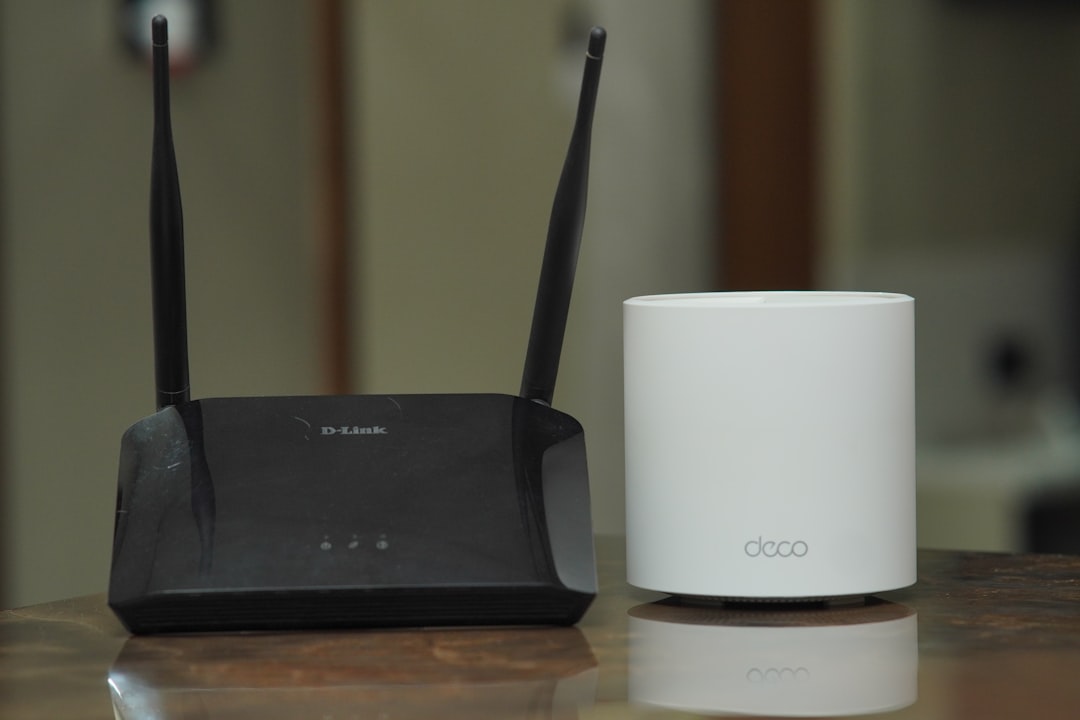
Every previous WiFi generation reused the same two bands. WiFi 6E broke that pattern in 2021 by moving into 6 GHz, and WiFi 7 built on it — so for the first time in twenty years, upgrading a router can put a frequency in your house that was not there before.
So the question — does a new band mean new exposure? — is a reasonable one. It is also the rare case where the regulatory answer runs opposite to the intuition: the newest, highest-frequency band is the one the FCC holds to the strictest indoor power limit of the three.
What Actually Got Added
In April 2020 the FCC opened 1,200 MHz of spectrum at 5.925–7.125 GHz to unlicensed use — the largest single addition of unlicensed WiFi spectrum ever made. WiFi 6E is WiFi 6 with access to that band. WiFi 7 (802.11be) is the generation after: the Wi-Fi Alliance began certifying it in January 2024, and the IEEE finalized the standard in July 2025.
Three things arrived with WiFi 7 that matter to this question:
- 320 MHz channels — double the widest WiFi 6 channel, and only possible in the 6 GHz band, because it is the only band with room.
- Multi-link operation (MLO) — a device can hold links on 2.4, 5, and 6 GHz at once instead of picking one.
- 4096-QAM — denser encoding, more bits per transmission. A throughput feature, not a power feature.
MLO is the one worth pausing on, because it is the only item on that list that plausibly increases how many radios are talking on your behalf at a given moment. In practice it also lets a device drop a band that is performing badly rather than crank power to stay on it.
What the FCC Actually Allows
Here is where the intuition breaks. Indoor 6 GHz access points are a regulatory category of their own — low-power indoor, or LPI — and 47 CFR 15.407 caps them well below the 5 GHz equivalent.
The number that matters is power spectral density, the power allowed in any single megahertz:
| Device class | Max EIRP | Max power spectral density |
|---|---|---|
| 6 GHz indoor access point | 30 dBm (1 W) | 5 dBm/MHz |
| 6 GHz client device (phone, laptop) | 24 dBm | −1 dBm/MHz |
| 6 GHz very low power (AR/VR, wearables) | 14 dBm | −5 dBm/MHz |
| 5 GHz U-NII-1 access point | — | 17 dBm/MHz |
| 5 GHz U-NII-1 client device | — | 11 dBm/MHz |
Per megahertz, an indoor 6 GHz access point is allowed 12 dB less than its U-NII-1 counterpart — about one-sixteenth the power density. The same 12 dB gap applies to client devices. The band is also indoor-only for this class: no outdoor mounting, no external antennas, no weatherproof enclosures.
The catch, stated plainly
That per-megahertz advantage does not translate into a sixteen-fold drop in what you would measure, and anyone claiming it does is misreading the table.
Six-gigahertz radios spend their allowance across much wider channels. Run the arithmetic: at 5 dBm/MHz, an LPI access point reaches 18 dBm on a 20 MHz channel, 24 dBm at 80 MHz, 27 dBm at 160 MHz, and only brushes the 30 dBm ceiling on a full 320 MHz channel. So a 6 GHz radio using the widest channel WiFi 7 offers lands in roughly the same total-power territory as a conventional router — it just spreads that power over far more spectrum.
The honest summary: 6 GHz is not a step up in transmit power, and on a per-megahertz basis it is a meaningful step down. It is not a sixteen-fold improvement in what a meter reads in your living room.
Check your EMF exposure
See cell towers, power lines, and substations near any US address.
Search Your AddressHigher Frequency Does Not Mean More Penetrating
The most common assumption about new, higher bands is that they punch through more. The physics runs the other way, and there is direct measurement to show it.
Researchers at NYU WIRELESS measured penetration loss through ten common building materials at 6.75 GHz — a frequency sitting inside the WiFi 6 GHz band, not a distant proxy. The co-polarized results:
| Material | Thickness | Loss at 6.75 GHz |
|---|---|---|
| Drywall panel | 3 cm | 0.6 dB |
| Plasterboard wall | 13.7 cm | 2.1 dB |
| Birch wood panel | 2 cm | 2.4 dB |
| Clear glass | 1 cm | 3.6 dB |
| Wooden door | 4.5 cm | 5.8 dB |
| Cinderblock wall | 22 cm | 13.4 dB |
| Low-emissivity glass window | 2 cm | 29.7 dB |
| Steel door | 4.7 cm | 43.2 dB |
Two things fall out of that table, and they point in opposite directions.
Ordinary interior construction barely registers. A sheet of drywall costs a 6 GHz signal 0.6 dB — essentially nothing. The idea that 6 GHz “can’t get through walls” is wrong for the walls most houses are made of.
But the moment a material contains metal, the band stops. Low-e window glass carries a microscopically thin metallic coating, and it takes 29.7 dB out of a 6 GHz signal — a drop of more than 99.8% in power. That is why a 6 GHz access point almost never leaks meaningfully outdoors in a modern house, and it is the same mechanism behind RF shielding window film, which uses a deliberately engineered version of that coating.
Add the free-space effect and the picture completes. At a fixed distance, 6 GHz loses roughly 1.5 dB more than 5 GHz and about 8 dB more than 2.4 GHz, purely from frequency. Combined with the tighter power cap, 6 GHz is the shortest-reaching band in the house. Which is exactly why WiFi 7 mesh systems often assign it to node-to-node backhaul rather than client coverage.
 Low-emissivity coatings take roughly 30 dB out of a 6 GHz signal. Modern windows are one of the best RF barriers in the building.
The 6 GHz Line in the Safety Standards
There is a coincidence here worth explaining, because it looks alarming and is not.
Both ICNIRP’s 2020 guidelines and IEEE C95.1-2019 use 6 GHz as a dividing line. Below it, the governing metric is specific absorption rate — energy deposited per unit mass of tissue. Above it, the standards switch to absorbed (epithelial) power density, a surface measure.
The reason is the same physics as the wall table. As frequency climbs, energy deposits more shallowly; above roughly 6 GHz, absorption concentrates in the outermost skin layers, where a whole-tissue-mass metric stops describing anything useful. The switch is a modeling convention that tracks decreasing penetration depth — not a threshold where something becomes hazardous. It means less energy reaching deep tissue, not more.
The maximum permissible exposure limit itself does not move across this boundary. The FCC’s general-population limit is flat at 1.0 mW/cm² — 10,000,000 µW/m² — from 1.5 GHz to 100 GHz, so 5 GHz and 6 GHz are held to the identical ceiling. For scale, our measurements at one foot from a router land in the 1,000–10,000 µW/m² range, and at ten feet in the 15–100 µW/m² range. Whether those limits are set correctly is a separate argument, one we take up in the exposure levels guide.
What the Research Actually Covers
The 6 GHz band has far less biological research behind it than 2.4 GHz, for the obvious reason that consumer hardware only reached it in 2021. The literature is thin, and pretending otherwise would be a disservice.
The most relevant study we have covered exposed rats to 6 GHz RF and reported depleted antioxidant markers and kidney tissue changes. We went through it in detail in our 6 GHz kidney study spotlight, and the conclusion there was cautious in both directions: the finding deserves follow-up, and the paper never reported SAR or power density, which makes it nearly impossible to relate to any real-world exposure. A study that does not state its dose cannot tell you whether a router matters.
So the accurate position on 6 GHz research is that it is early and underpowered, not that it is reassuring or damning.
Should You Upgrade?
On exposure grounds alone, a WiFi 6E or 7 router is a lateral move at worst and a modest improvement at best. The considerations that actually matter:
- A tri-band router is three radios, not one. Whatever the band, the transmitter count went up. If you do not own 6 GHz-capable devices, the radio is beaconing for nobody — most router apps let you disable a band outright, which is the cleanest win available.
- Distance still dominates everything. A 6 GHz radio on the desk beside you contributes far more than any band would from across the room. Placement is worth more than band choice by a wide margin, and it costs nothing.
- MLO is worth a look in the settings. If your router exposes it, it decides how many links a device holds at once. Defaults are throughput-tuned.
- Upgrade for coverage problems, not exposure ones. If your current router is fine, the EMF case for replacing it does not exist.
- Schedule it off overnight the same way. None of this changes the argument for turning WiFi off at night — a 6 GHz radio idles and beacons exactly like the others.
- Check that your meter can see the band. Consumer RF meters vary more than people expect at the top end: many reach 8 GHz or beyond and cover 6 GHz fully, some stop at exactly 6 GHz and catch only the bottom sliver of it, and older or cheaper units roll off low enough to miss the band entirely. Read the frequency range on the spec sheet before trusting a null reading — our meter comparison lists what each instrument actually covers.
That last point is the one that catches people. A band your meter cannot detect is not a band that is not there.
Frequently Asked Questions
Is WiFi 7 more dangerous than WiFi 6? There is no evidence that it is, and the power rules point mildly the other way. WiFi 7’s new band is held to a lower power spectral density than 5 GHz — 5 dBm/MHz versus 17 dBm/MHz for indoor access points — and the same FCC exposure limit applies across both. What genuinely changed is that a tri-band router contains more radios than an old single-band one, which is a reason to think about placement rather than about the standard.
Does 6 GHz WiFi penetrate walls better or worse than 5 GHz? Worse, though less dramatically than people expect for ordinary construction. Measurements at 6.75 GHz put drywall at just 0.6 dB of loss, so interior walls are nearly transparent. Free-space loss is about 1.5 dB higher than 5 GHz at the same distance, and metal-containing materials are where the band really stops — low-emissivity window glass takes out nearly 30 dB.
Should I turn off the 6 GHz band on my router? If nothing in your house connects to it, yes — it is a radio transmitting for no one, and most router apps let you disable a band in a couple of taps. If you do use it, the better lever is distance. Six gigahertz has the shortest effective range of the three bands, so a router placed sensibly away from where you sit contributes very little at seated distance.