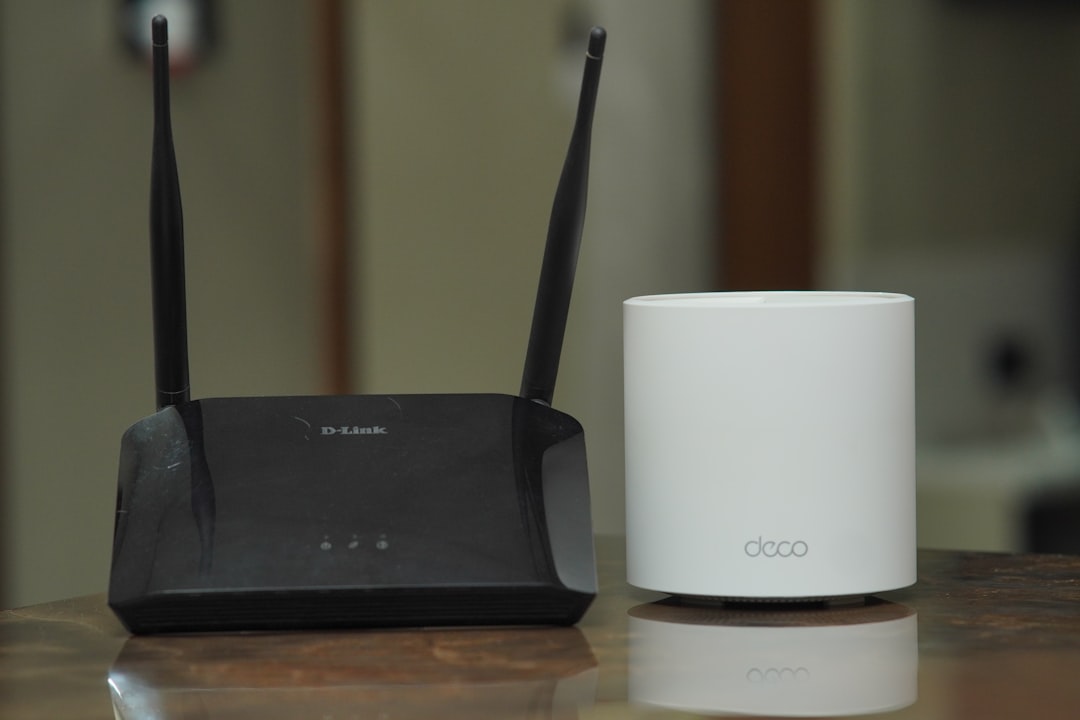
A three-piece mesh system puts three WiFi transmitters in a house that used to have one. If you want to know whether that triples your exposure, the answer is no — though not for the reassuring reason you usually get.
Node count is the wrong unit. What reaches you depends on how far you sit from the nearest transmitter, how hard your own phone and laptop have to work to reach it, and whether the nodes spend all day talking to each other over the air. Mesh changes all three. Only one of them moves in the wrong direction, and it is the one you control with placement.
The Arithmetic Everyone Does First
Three boxes, three radios, three times the radiation. It is the obvious calculation and it fails on the first principle of RF: what you are exposed to at any given spot is dominated by whatever transmitter is closest, because power density falls off with the square of distance.
The numbers make this concrete. In our WiFi router distance measurements, a typical dual-band router reads somewhere in the range of 1,000–10,000 µW/m² at one foot and 15–100 µW/m² at ten feet. Two orders of magnitude, for the cost of moving a box across a desk. A node two rooms away, behind a wall or two, contributes a rounding error to the reading where you actually sit.
So compare like for like. One router four feet from the couch, versus three nodes at fifteen, forty, and fifty feet: the mesh house has less RF at the couch. The count that matters is not how many transmitters are in the building, but how many are within a few meters of where you spend hours.
The real cost is not the one people worry about. More nodes means more places where somebody could end up sitting close to a transmitter. Put one on a nightstand and you have manufactured a problem a single router in the hallway never had.
What One Node Actually Emits
A mesh node is a router. Same chipset generation, same bands, same regulatory ceiling — it is not secretly low-power hardware, and it is not secretly high-power hardware either.
For 2.4 and 5 GHz consumer WiFi, the FCC’s ceiling works out to 36 dBm EIRP, and industry practice lands residential gateways around 30 dBm (1 watt) of conducted power with the balance allocated to antenna gain. Actual consumer gear runs well under that — the 30–100 mW per antenna figure in our router guide is the realistic range. Whether that hardware is sold as a single router or as a three-pack does not change the per-unit picture.
The 30 cm line in the fine print
Manufacturers publish a separation distance for these devices, and it is worth reading before you decide where a node goes. eero’s compliance page states that eero devices comply with FCC radiation exposure limits for an uncontrolled environment and should be installed and operated with a minimum distance of 30 cm between the radiator and your body.
Thirty centimeters is notable because the more common figure in this category is 20 cm — it is what the 5G home internet gateway manuals specify for indoor installation. These numbers are certification boundary conditions, not danger thresholds: a device tested as a fixed installation is certified on the assumption that nobody is holding it. But the assumption is doing real work, and a node on the corner of your desk violates it for eight hours a day.
Treat 30 cm as the floor and a couple of meters as the target. You lose nothing by clearing that bar.
Idle is not off
One more thing that surprises people who assume a quiet network is a quiet radio. An access point announces itself with beacon frames on a fixed interval — commonly about ten per second — whether or not a single device is connected. Mesh nodes add their own management traffic on top, keeping track of each other and deciding which one should hold onto your phone as you walk around. “We barely use the internet” does not translate into a node that is barely transmitting.
 Circulation space — hallways, landings, the far end of a living room — is where nodes belong. The nightstand is the one spot the fine print rules out.
Check your EMF exposure
See cell towers, power lines, and substations near any US address.
Search Your AddressThe Transmitter You Are Actually Holding
Here is the part the node-counting argument leaves out entirely. A WiFi link has two transmitters, and only one of them is the router. The other is the phone in your hand, the laptop on your thighs, the tablet six inches from a kid’s face. Those sit against a body. The node across the room does not.
WiFi devices adjust their transmit power based on the path loss they estimate to the access point — a weak link opens up the amplifier, a strong one lets the device back off. It is the same principle as the adaptive power control that governs cellular uplinks, which we walked through in the 5G gateway piece. A laptop fighting to reach a router two floors away is working harder than the same laptop sitting near a node down the hall.
This is a genuine advantage, and it needs limits. Client-side power control in consumer WiFi is coarser than the cellular equivalent: the adjustment range is narrow next to the tens of dB a phone swings across on a cellular link, and no manufacturer publishes what your particular handset actually does. The effect is directionally real and modest — not the lever that signal bars are on a phone call. It is a reason mesh is not the exposure disaster it looks like on paper, not a reason to buy one for EMF alone.
Backhaul Is the Variable Nobody Checks
Nodes have to get data back to the internet somehow, and how they do it is the largest RF difference between two mesh systems that look identical on the shelf.
Wireless backhaul means the nodes relay over the air. On a dual-band system, that node-to-node traffic shares the same 2.4 and 5 GHz spectrum your devices use. Tri-band systems instead dedicate an entire radio — usually a second 5 GHz or the 6 GHz band — to node-to-node traffic, which is better for your speeds and means a third radio running more or less continuously between the boxes. Most current systems are tri-band: eero’s Pro 7 and Max 7, Google’s Nest Wifi Pro, TP-Link’s Deco BE85. Wi-Fi 7 hardware can also combine bands into one link with multi-link operation, blurring the backhaul-versus-client split further.
Ethernet backhaul means a cable between the nodes. The backhaul radio quiets down or shuts off depending on the hardware, and each node becomes an ordinary access point serving the room it is in. Networking reviewers consistently rate wired backhaul the single biggest performance upgrade available to a mesh system, and it happens to be the RF answer too — the same recommendation for two unrelated reasons.
If the runs look impossible, they usually are not. Our home hardwiring guide covers flat cable along baseboards, MoCA adapters that turn existing coax into Ethernet, and the powerline caveats worth knowing before you buy.
How Many Nodes You Actually Need
Manufacturers quote per-unit coverage — roughly 2,000 sq ft for an eero Pro 7, 2,500 for a Max 7. Those are open-floorplan ceilings, not what you will get through plaster and a brick chimney, but they are a useful sanity check against the reflex purchase.
Most people buy the three-pack because the three-pack is the SKU on the shelf. A 1,400-square-foot house with one weak corner frequently needs two units, and the third ends up plugged in somewhere it does nothing except beacon. Start with the gateway node plus one, live with it for a week, and add the third only if a real dead zone survives.
The professional guidance points the same way, for reasons that have nothing to do with EMF. Network vendors advise against running every access point at full power in a multi-AP deployment: oversized, overlapping cells make devices cling to distant nodes instead of handing off cleanly, so the recommendation is to shrink each cell and let clients roam sooner. Several small, deliberately placed cells is the correct engineering, and it is also the lower-exposure architecture. The catch is that consumer mesh apps almost never expose a transmit-power slider — that control lives on prosumer and enterprise gear. On consumer hardware you approximate it with placement and node count.
Setting Up a Mesh Network Sensibly
- Find the dead zones before you buy. Walk the house with a phone and a speed test. Node placement should answer measured problems, not floor plans.
- Put nodes in circulation space. Hallways, landings, the far end of a living room. Not bedrooms, not desks, not the shelf above a crib.
- If a bedroom needs coverage, serve it from outside the door. A node in the hallway with the door open usually covers the room fine, and the wall buys you distance where it counts.
- Wire the backhaul if you can reach the locations. Better throughput, one less radio per node.
- Schedule downtime. Most mesh apps can pause the network or whole device groups on a schedule, which is the cleanest version of the case we make in turning WiFi off at night. Satellites can also go on smart plugs; the gateway node cannot, since cutting it takes the network down.
- Check the result. Everything above is a claim about your specific house, and a meter settles it in ten minutes. Our guide to measuring EMF at home covers technique — peak versus average, where people go wrong — and the meter comparison covers what to buy if you do not own one.
For the wider accounting of what else is transmitting in each room, the smart home EMF guide has the room-by-room version of this exercise.
Frequently Asked Questions
Does mesh WiFi emit more radiation than a single router? A mesh system contains more transmitters, but exposure at any one spot is dominated by the closest one. Three nodes spread across a house typically produce lower readings where you sit than a single router four feet from the couch. The real risk with mesh is placement: more nodes means more chances that one ends up on a nightstand or a desk.
Is it safe to put a mesh node in the bedroom? It is the one placement worth avoiding, and not because of a proven hazard — because it is easy to avoid. Manufacturers specify a separation distance for these devices (eero publishes 30 cm), and a node in the hallway outside the door usually covers the bedroom about as well while putting a wall and several meters between the radio and your head.
Does Ethernet backhaul reduce EMF from a mesh system? Yes, and it is the most effective single change available. Wiring the nodes together retires the backhaul link — a radio that otherwise runs continuously between the boxes regardless of what you are doing. Depending on the hardware, the backhaul radio idles or switches off entirely, and each node reverts to serving only the devices near it.
How far should I sit from a mesh WiFi node? Use the manufacturer’s separation distance as the floor — 30 cm for eero, 20 cm on many comparable devices — and a few meters as the practical target. Distance is cheap here: our measurements show roughly a hundredfold drop between one foot and ten feet, which is the difference between a node on the desk and a node across the room.