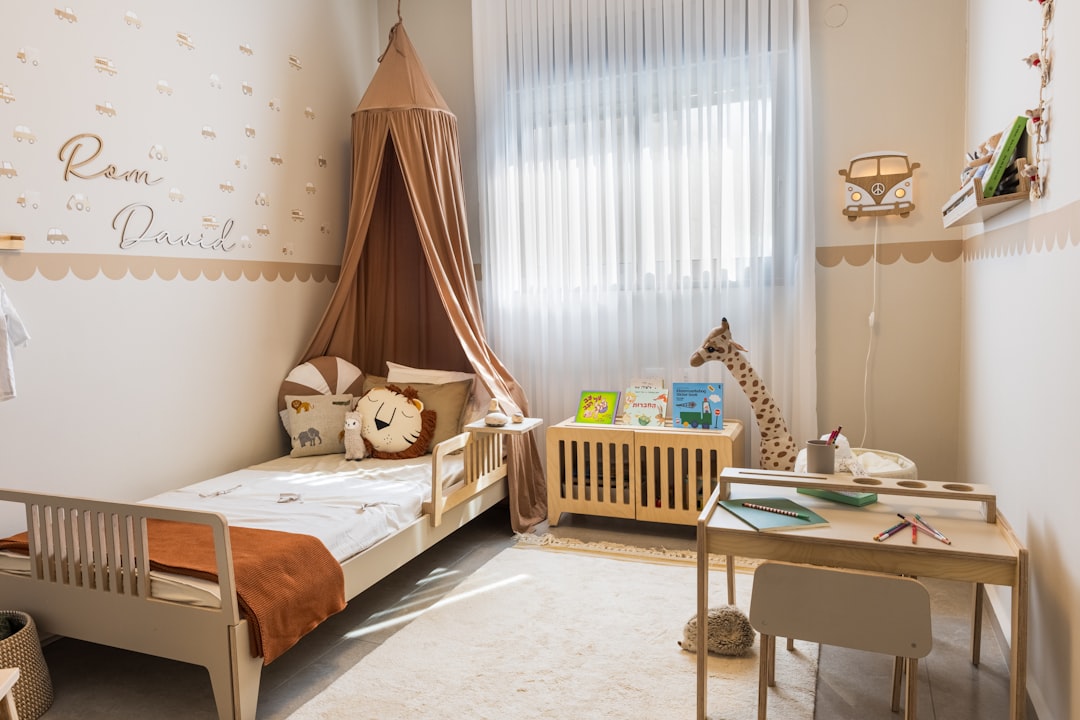
The Hatch Rest — the glowing sound machine in what feels like every American nursery — is a WiFi and Bluetooth device. It joins your 2.4 GHz network during setup, keeps that connection alive around the clock so the app can reach it, and typically sits within a few feet of the crib. If you’ve started paying attention to the wireless devices in your baby’s room, it’s reasonable to wonder what that adds up to.
The calm version, up front: the Hatch’s radio emissions are small — well within FCC limits, and far less than a WiFi video baby monitor streaming all night. But if you’d rather not have an always-connected transmitter in the sleep room, you have three good options that cost you nothing in sleep quality: move it across the room, run it offline, or choose a sound machine with no radios at all. This guide covers all three, using Hatch’s own documentation rather than guesswork.
What’s Inside a Hatch: The Radio Inventory
Hatch’s current sleep lineup, and what each model actually transmits:
| Model | What it is | WiFi | Bluetooth | Typical price |
|---|---|---|---|---|
| Rest (2nd gen) | Plug-in nursery sound machine + night light | 2.4 GHz | Yes (BLE) | ~$70 |
| Rest+ (2nd gen) | Rest plus backup battery, clock, and time-to-rise | 2.4 GHz | Yes (BLE) | ~$90 |
| Hatch Go (sold as Rest Go) | Portable, battery-powered sound machine | None | None | ~$40 |
Hatch also makes the adult-focused Restore line, which is likewise WiFi-connected — but that one lives on your nightstand, not in a nursery, so we’ll leave it for another article.
The 2.4 GHz Detail
Hatch’s support documentation is explicit that Rest devices connect only to 2.4 GHz WiFi networks — they can’t join 5 GHz-only networks. That’s the same band your router already uses for most smart-home gear, chosen because it carries small amounts of data reliably through walls. In other words, the Hatch doesn’t introduce a new kind of signal into your nursery; it adds one more low-power client device to a band that’s already present in nearly every home. Whether that client needs to be inches from a crib is the better question — more on placement below.
The Bluetooth radio matters too: when the Hatch Sleep app can’t find your device on WiFi, Hatch’s offline-mode documentation says the app automatically falls back to a Bluetooth (BLE) connection. So “no WiFi” doesn’t mean “no radios” on a Rest — it means the primary radio has nothing to talk to.
How Much RF Does a Sound Machine Actually Emit?
Honest answer first: we could find no published third-party RF measurements of the Hatch Rest specifically. Anyone quoting exact microwatt readings for this device is measuring their own unit or making it up. What we can do is reason from the device class, which is well understood:
- It’s a standard WiFi client. Consumer WiFi radios transmit at powers in the same range as your router’s 30–100 milliwatts or below — fractions of a watt, in brief bursts rather than continuously.
- Its traffic mostly flows downstream. A sound machine plays audio and receives commands. Unlike a WiFi camera, it has no video to upload, so its transmissions are the small stuff: acknowledgments, keepalive pings, status check-ins, and occasional syncs. Streaming a Hatch+ channel pulls data down over WiFi, but even then the device’s own transmit duty cycle stays modest.
- It sits at the low end of the nursery hierarchy. In our low-EMF baby monitor guide we ranked nursery tech by emissions — WiFi video monitors at the top, DECT audio monitors much lower, wired options at zero. A WiFi sound machine lands well below any streaming camera: same band, far less to say.
Every Hatch model is FCC-certified and operates within exposure limits by a wide margin. There is no study showing harm from a sound machine’s WiFi connection, and we won’t pretend otherwise.
So why does this article exist? Because the device runs 10–12 hours a night, every night, for years, in the room of the household’s youngest occupant — and because children’s developing bodies absorb RF differently than adults’, most parents applying a precautionary mindset start in the nursery. When cutting an exposure to near zero is free and costs no functionality you care about, the evidence bar for doing it can be low. That’s the spirit of everything below: easy wins, not alarm.
Check your EMF exposure
See cell towers, power lines, and substations near any US address.
Search Your AddressWhat “Always-On” Actually Means
A few readers will want the mechanics spelled out. When powered and configured, a Rest maintains its network association continuously — that’s what lets you change the light color from your phone at 2 AM without walking in. Maintaining that link involves periodic low-level chatter with your router and Hatch’s servers even when nothing is playing. Preloaded sounds and favorited content play from the device itself; Hatch+ streaming channels require the live WiFi connection.
None of this is unusual — it’s how every app-controlled smart device works, from smart speakers to plugs. The point is simply that “the sound machine is off” and “the sound machine’s radio is off” are different statements, and Hatch provides no user-facing switch that powers down the radios. If you want that, you have to create it yourself.
Running a Hatch Without WiFi: The Offline Playbook
Good news: the Rest 2nd gen degrades gracefully without a network, and Hatch documents exactly how.
What Offline Mode Gives You
Per Hatch’s support documentation, a Rest 2nd gen running without WiFi still provides:
- The basic built-in sounds — the core white noise library works offline
- The next 3 tracks of any Channel you’ve saved to favorites — favorite before you disconnect
- Full hardware control via the buttons on the back: volume, brightness, and a quick-light toggle
- Uninterrupted playback — if the connection drops mid-play, whatever’s playing keeps playing
What you lose offline: app control from outside Bluetooth range, Hatch+ streaming content (Hatch notes it may fail even over the BLE fallback), and firmware updates until you reconnect.
The Set-Up-Then-Disconnect Method
- Set up normally. Initial setup requires the Hatch Sleep app and your 2.4 GHz network. There’s no documented way around this step.
- Configure everything while connected. Favorite the channels you actually use, dial in brightness and volume, and set any bedtime routines.
- Cut the network connection. Three ways, in increasing order of commitment: schedule your router’s WiFi to turn off overnight (helps every device in the house), block the Hatch’s MAC address in your router’s settings (offline permanently, no other device affected), or simply never reconnect it after a router password change.
- Run it from the buttons. Volume, brightness, and sound selection from the back panel, like it’s 2005.
Two honest caveats. First, a disconnected WiFi client typically keeps looking for its network with brief periodic probes — standard behavior for the device class, low power and intermittent, but not absolute radio silence. Second, if you open the app nearby, it will reach the device over Bluetooth. For a genuinely radio-quiet room, you want the next section.
Placement: Hearing Researchers Already Solved This
A happy convergence: the best-known study of infant sound machines has nothing to do with EMF — it’s about hearing. A 2014 study in Pediatrics measured 14 popular infant sleep machines at maximum volume and found all 14 exceeded 50 dBA — the recommended noise limit for hospital nurseries — when measured at 30 cm, roughly crib-rail distance. Three machines exceeded 85 dBA — loud enough that, sustained for more than 8 hours, it would exceed the accumulated noise exposure limits set for adult workplaces. The authors’ recommendation: place sound machines more than 200 cm (about 6.5 feet) from the crib and keep the volume low.
That’s the same instruction EMF-conscious parents arrive at from the physics side. RF power density falls with the square of distance — moving a transmitter from 1 foot to 6 feet from the crib cuts exposure by roughly 36×. One placement decision, two independent reasons: put the sound machine on a dresser across the room, at a volume that sounds gentle from the crib. (It gets the power cord well away from reaching hands, too.)
Sound Machines With No Radios at All
If you’d rather skip the workarounds, radio-free options are genuinely good now — including one from Hatch itself.
| Option | How it makes sound | Radios | Notes |
|---|---|---|---|
| Hatch Go (Rest Go) | Digital, 10 preloaded sounds | None | Button-controlled, ~15-hour battery, USB-C, ~$40 |
| Yogasleep Dohm | A real fan inside a housing | None | The mechanical original (since 1962), two speeds + tone dial, ~$45–55 |
| LectroFan (Classic/Evo) | Digital, non-looping generation | None | 20+ sound options, no app, plug-in |
The Hatch Go is Hatch’s own radio-free answer. The company’s support pages state plainly that it has no Bluetooth or WiFi capability at all — sounds come preloaded, and everything is controlled from three buttons on the device. It’s marketed as a travel machine, but nothing stops it from living permanently on the nursery dresser. What you give up versus the Rest: the customizable night light, app scheduling, time-to-rise for toddlers, and the Hatch+ catalog.
The Dohm is the plain-analog pick. It generates white noise mechanically — an actual fan spinning inside an acoustic housing. No firmware, no app, no speaker synthesis, no radio, and a sound texture many adults prefer. If your goal is the simplest possible object making noise in your child’s room, this is it.
The LectroFan splits the difference: digitally generated, non-repeating sound with zero connectivity.
The Bottom Line for Your Nursery
Ranked by effort, all three of these are wins:
- Keep your Hatch, move it. Across the room, 6.5+ feet from the crib, volume low — hearing science and RF physics agree.
- Keep your Hatch, disconnect it. Favorite your sounds, then block it at the router or schedule WiFi off at night. Buttons handle the rest.
- Go radio-free. Hatch Go, Dohm, or LectroFan — zero transmitters, zero workarounds.
Keep perspective, too: in a typical smart nursery, the sound machine is one of the smaller radio sources in the room. A WiFi video camera streams continuously, and a wearable like the Owlet sock transmits from directly on your baby’s body. If you’re doing a full pass on the room, our low-EMF nursery setup guide walks through crib placement, monitors, lighting, and everything else in one plan.
Want to know where your whole home stands, not just the nursery? Take our 2-minute EMF assessment for a personalized picture — or if you’d rather verify things yourself, an entry-level RF meter will show you exactly what your sound machine is (and isn’t) putting out.
Frequently Asked Questions
Does the Hatch Rest emit EMF or radiation?
Yes — the Hatch Rest (2nd gen) and Rest+ contain a 2.4 GHz WiFi radio and a Bluetooth radio, so they emit low-level radiofrequency energy like any smart-home device. Emissions are well within FCC limits and substantially lower than a WiFi video baby monitor, since a sound machine doesn’t upload video. Distance and offline use reduce exposure further.
Can you use a Hatch sound machine without WiFi?
Mostly, yes. Initial setup requires the Hatch app and a 2.4 GHz WiFi network, but after that the basic sounds, up to 3 favorited channel tracks, and the physical buttons for volume, brightness, and light all work offline. Hatch+ streaming content and remote app control require the connection.
Does the Hatch Go have WiFi or Bluetooth?
No. Hatch’s support documentation confirms the Hatch Go (sold as Rest Go) has no WiFi or Bluetooth capability at all — its 10 sounds come preloaded and it’s controlled entirely by buttons on the device. It’s the lowest-EMF option in Hatch’s lineup.
How far should a sound machine be from the crib?
More than 200 cm — about 6.5 feet. That recommendation comes from a 2014 Pediatrics hearing study, which found sound machines at crib-rail distance exceeded recommended nursery noise levels. The same placement cuts RF exposure from a WiFi model by an order of magnitude compared to the crib rail, since power density falls with the square of distance.
What is the lowest-EMF sound machine?
A mechanical fan-based machine like the Yogasleep Dohm emits no RF at all — there’s no radio inside. Among digital options, the Hatch Go and LectroFan have no wireless connectivity and therefore no RF emissions. Any of the three gives you white noise with zero transmitters in the nursery.