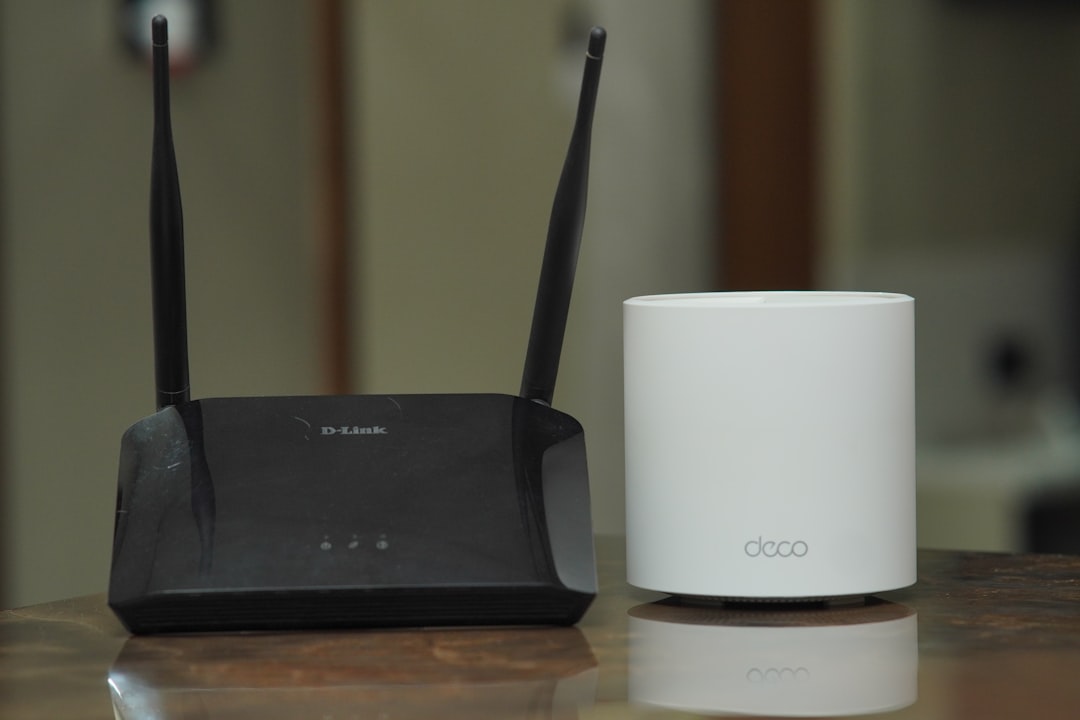
The white tower on your windowsill has to do something your old modem never did: talk back to a cell site that might be a mile away. That is why a 5G gateway deserves a different placement conversation than a WiFi router does.
The short version: your gateway is a cellular device, certified in a higher transmit-power class than a smartphone, and its own manual tells you to keep it at least 20 cm (8 inches) from people. Neither fact is alarming on its own. Both are worth knowing, because they change where the box should live — and because the setting that lowers its transmit power is the same setting that makes your internet faster.
 A fixed wireless gateway wants a window with a clear line to the tower. That window is rarely the one next to your bed.
Your Gateway Is a Phone That Never Moves
Fixed wireless access — the industry term for T-Mobile Home Internet, Verizon 5G Home Internet, and AT&T Internet Air — uses the same network as your phone. To the tower, your gateway is just another piece of user equipment. It has a SIM, it registers on the network, and it runs the same uplink protocols.
What is different is the power budget. 3GPP defines transmit-power classes for cellular devices, and handsets and gateways do not share one:
| Power class | Max output | Typical devices |
|---|---|---|
| Class 3 | 23 dBm (200 mW) | Standard smartphones |
| Class 2 | 26 dBm (400 mW) | Fixed wireless gateways, high-power phones |
| Class 1 | 31 dBm (1.26 W) | Vehicle-mounted equipment, FWA gateways |
A gateway is not fighting a battery or a pocket-sized thermal envelope. It is plugged into the wall with room for a bigger amplifier and more antennas, so it can be built to Class 2 or Class 1 and gain roughly 3 to 8 dB of uplink reach over a phone. That extra reach is the entire product: it is how a box indoors holds a usable connection to a tower that a handset would struggle with from the same spot.
There is a second difference that has nothing to do with hardware. Your phone is idle most of the day. Your gateway carries every device in the house — streaming, backups, video calls, the doorbell camera uploading clips at 2 a.m. Its uplink is busy whenever anyone is online, which is a meaningfully different duty cycle from a phone sitting on a counter.
What the Manual Actually Says About Distance
Manufacturers publish an RF exposure separation distance for these devices, and it is stricter than anything you will find in a phone manual. The Verizon 5G Internet Gateway user guide states it plainly:
To comply with FCC RF exposure compliance requirements, the antenna used for this transmitter must be installed to provide a separation distance of at least 20cm from all persons (indoor), at least 54cm from all persons (outdoor).
T-Mobile’s gateway documentation gives the same indoor figure — a minimum of 20 cm between the device and your body — and adds that FCC rules restrict the gateway to indoor operation. T-Mobile’s safety section also notes that the gateway contains components that emit an electromagnetic field which could interfere with pacemakers or other electronic medical devices, and directs anyone with an implant to ask their physician or the device manufacturer about the required separation. That is manufacturer guidance, not a reason to avoid the service; it is the same class of note that ships with most transmitters.
Why 20 cm and not the millimeter-scale distances phones are tested at? Because devices are certified for the way they are used. Phones are evaluated against SAR limits for handheld and body-worn positions — the framework we walk through in our guide to phone SAR ratings. A gateway is certified as a fixed installation under FCC power-density limits, which assume nobody is holding it. The 20 cm figure is the boundary condition of that assumption.
The practical translation is simple. Twenty centimeters is the floor. Distance in an RF field falls off with the square of the range, so moving from 20 cm to 3 meters — across a room — cuts the power density by a factor of about 225. You do not need a shielding product to accomplish that. You need a different piece of furniture.
Check your EMF exposure
See cell towers, power lines, and substations near any US address.
Search Your AddressTwo Radios, One Box
A gateway does two unrelated RF jobs, and conflating them leads people to solve the wrong problem.
The cellular uplink points outward, to the tower. Higher power class, longer range, active whenever the household is online. This is the part that wants a window.
The WiFi access point points inward, to your devices. Same 2.4/5/6 GHz radios and same power levels as any consumer router — T-Mobile’s current Gen 5 gateways (G5AR and G5SE) run WiFi 7, and the older units across both carriers run WiFi 6 or 6E. Everything in our WiFi router safe distance guide applies here unchanged, including the case for shutting it down overnight.
The two jobs pull in opposite directions. Good cellular signal means a window, often on an upper floor. Good WiFi coverage means the middle of the house. A single box cannot be in both places, and the compromise most people make — gateway in the living room, near where they sit — is the worst of the three options for exposure, since the gateway is then close to people and transmitting harder to reach the tower through more walls.
Signal Strength Is an Exposure Setting
Here is the part that makes 5G home internet unusually tractable. Cellular devices use adaptive uplink power control: the device estimates the path loss to the tower and transmits only as hard as it needs to. Strong downlink signal, low transmit power. Weak signal, the amplifier opens up.
Your gateway does this continuously, which means the placement that makes your internet fast is the placement that makes it transmit least. There is no tradeoff to manage. You are optimizing one number for two reasons.
Reading the number
Both carriers expose the metric. In the T-Life app, T-Mobile’s Advanced Cellular Metrics screen shows RSRP, RSRQ, and SINR for the LTE anchor and 5G data connections; Verizon’s app and the gateway’s web interface show equivalent signal detail. RSRP is the one to watch — it is received power in dBm, and because it is a negative number, closer to zero is stronger. Roughly speaking, readings near −80 dBm are excellent, the −80 to −100 dBm range is workable, and anything past −110 dBm is a gateway straining to be heard.
Improving it
- Find your tower first. Placement follows line of sight, so it helps to know which direction to aim. Our tower map shows registered sites near an address, including the newer small cells that carry a lot of urban 5G traffic.
- Try the window facing that direction. Elevation helps more than most people expect; an upper floor often beats a ground-floor window on the correct side.
- Move in small increments and watch the number. A quarter turn or a shift of a few inches can change RSRP measurably, because you are changing what the signal has to pass through.
- Then add distance. Once you have found the good window, put the gateway at the far end of that windowsill or on a nearby shelf rather than on the desk you work at. You will usually lose nothing.
The Ethernet-Out Setup
If your best cellular window happens to be in a bedroom or a home office, the fix is to separate the two jobs the gateway is doing.
Gateways generally include at least one Ethernet port — confirm yours does before you plan around it. Run a cable from that port to your own router or a switch somewhere else in the house, and let that device handle WiFi. The gateway stays at the window doing cellular; the WiFi moves to wherever it actually serves the house. Our home hardwiring guide covers the cable runs, flat cable, and MoCA-over-coax options for getting a line where you need it.
Whether you can then switch the gateway’s own WiFi off depends on the hardware. Verizon’s gateway settings let you disable the 2.4 GHz and 5 GHz radios outright, and owners report that bridge mode has come and gone with firmware on the LVSKIHP model. T-Mobile’s gateways do not offer bridge mode, and the WiFi controls available in the app have varied by model and firmware — check yours before you build a plan around it. Where you cannot disable it, the double-NAT setup still works fine for ordinary browsing and streaming, and the gateway’s WiFi is at least broadcasting from a room you are not sitting in.
For a whole-house view of how the gateway fits alongside the other transmitters you have accumulated, our smart home EMF guide has the room-by-room accounting.
Check Your Own Numbers
None of the above requires trusting a stranger’s measurements. An RF meter held at the windowsill and again at your couch will show you the falloff directly, and the difference between those two readings is the only argument for placement you actually need. Our guide to measuring EMF at home covers the technique — units, averaging versus peak, and the mistakes that produce misleading numbers — and the meter comparison covers what to buy if you do not own one.
One more thing worth saying, since the fear-marketing around 5G tends to swallow it: the frequencies these gateways use are non-ionizing, they are the same bands your phone has used for years, and the health claims made about 5G specifically have not held up well under testing — we went through them in 5G EMF myths, debunked. The reason to care where the box sits is not that it is dangerous. It is that a transmitter with a documented 20 cm separation distance belongs somewhere other than your nightstand, and moving it costs nothing.
Frequently Asked Questions
Does 5G home internet emit more radiation than a WiFi router? The WiFi side is equivalent — same standards, same power. The cellular side is different: gateways are certified in higher transmit-power classes than phones (up to 400 mW or 1.26 W, versus 200 mW for a typical handset) because they need to reach a distant tower from indoors. So a gateway has an outward-facing transmitter your cable modem never had, on top of a normal router’s WiFi.
How far should I sit from a 5G home internet gateway? The manuals specify a minimum of 20 cm (8 inches) for indoor installation, and 54 cm if the unit is mounted outdoors. Treat that as a floor rather than a target. A few meters is easy to arrange, drops the power density by orders of magnitude, and generally costs you nothing in signal quality.
Is it safe to put a 5G gateway in the bedroom? It is where signal often ends up pushing people, since bedrooms tend to have the upstairs windows. If the best window is in a bedroom, run Ethernet from the gateway to a router elsewhere and keep the gateway itself across the room — not on the nightstand. If the difference between two windows is small, take the one outside the room you sleep in.
Does better signal actually reduce the radiation from my gateway? Yes, for the cellular uplink. Adaptive power control means the device transmits only as hard as the link requires, so a gateway with strong RSRP backs its amplifier off. Chasing a better signal reading is simultaneously a speed optimization and an exposure one, which is a rare thing in this field.
Is fiber or cable lower-EMF than 5G home internet? For the wide-area connection, yes — a wired service carries data in a cable instead of over a radio link, so there is no uplink transmitter in your house at all. The WiFi inside the home is identical either way. If fiber is available at a comparable price and low RF is a priority for you, that is the straightforward answer; if it is not available, gateway placement does most of the work.