Yes, your Amazon Echo emits radiation — the same non-ionizing radiofrequency (RF) energy your WiFi router and phone produce, at lower power than either. That’s the short answer to “Alexa radiation,” and it applies equally to Google’s speakers and Apple’s HomePod.
Smart speakers earn a longer answer, though, because they have two properties most devices don’t share. First, they transmit 24 hours a day, whether or not anyone is talking to them. Second, the control everyone knows about — the microphone-off button — does nothing to the radios. Mic-off is a privacy switch, not an RF switch, and confusing the two is the single most common mistake we see people make with these devices.
Here’s what’s actually transmitting inside a 2026-era smart speaker, what it does when the room is silent, and how to cut the exposure without losing the convenience — starting with getting it off your nightstand.
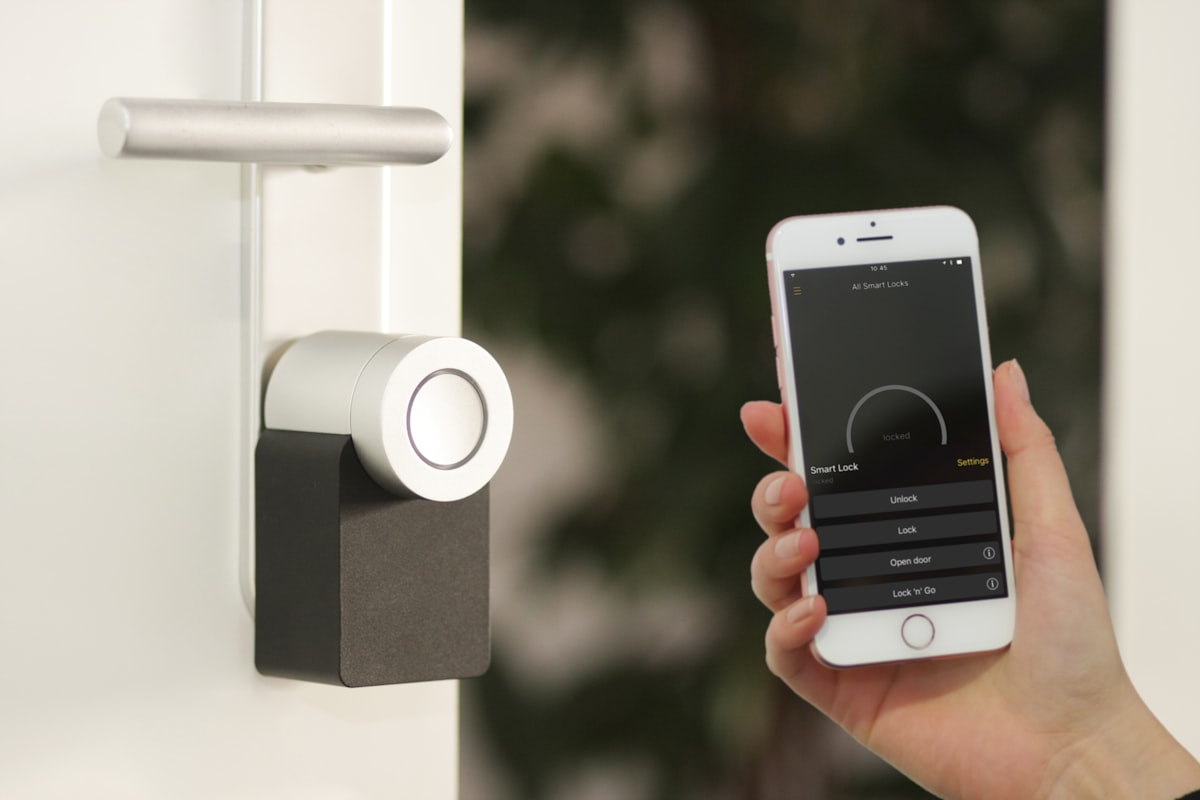 A smart speaker’s microphone listens locally — but its radios transmit around the clock.
What’s Actually Transmitting Inside a Smart Speaker
The current generation packs more radios than the devices they replaced. As of this writing:
- Amazon sells the Echo Dot Max and Echo Studio (launched October 2025 alongside the new Echo Show 8 and 11, built for Alexa+). Both speakers ship with WiFi, Bluetooth, Zigbee, Thread, and Matter support built in — they’re full smart-home hubs, not just speakers. They also carry Amazon’s Omnisense sensor platform, which uses audio, ultrasound, and WiFi-based sensing to detect motion and presence in the room.
- Google retired the Nest Mini and Nest Audio in mid-2026. Its current speaker is the Google Home Speaker (launched June 2026, running Gemini instead of Google Assistant), with the Nest Hub and Nest Hub Max displays still in the lineup — the Nest Hub (2nd gen) doubles as a Thread border router.
- Apple sells the HomePod (2nd gen) and HomePod mini. Both include Thread radios and act as Thread border routers for Matter smart-home devices.
That’s the part that has changed most in the past few years: the question isn’t just WiFi anymore. A modern flagship speaker can be running four or five separate radio protocols at once:
| Radio | Frequency | What it’s doing |
|---|---|---|
| WiFi | 2.4 / 5 GHz | Streaming, cloud connection, keepalives |
| Bluetooth / BLE | 2.4 GHz | Device pairing, beacons, setup |
| Thread | 2.4 GHz | Matter smart-home mesh (border router duty) |
| Zigbee (Echo hubs) | 2.4 GHz | Legacy smart-home devices |
| Sidewalk LoRa (Echo) | ~900 MHz | Amazon’s neighborhood IoT network |
None of these individually is high-powered — a smart speaker transmits at lower power than a WiFi router, and every unit sold must comply with FCC RF exposure limits. But each additional radio adds its own background chatter, and the hub roles (Thread border router, Zigbee hub, Sidewalk bridge) mean the device is relaying traffic for other devices even when you’re not using it.
One genuinely reassuring note: the ultrasound side of Amazon’s motion sensing is exactly what it sounds like — inaudible sound waves, not electromagnetic radiation. It’s the radio traffic that belongs in your EMF accounting.
What a Smart Speaker Does When Nobody’s Talking
The reassuring half: your speaker is not streaming your conversations all day. Wake-word detection happens on the device itself. Amazon documents that no audio is stored or sent to the cloud unless the device detects the wake word (or you press the action button), and Google and Apple describe the same local-detection design. The mic listening for “Alexa” is a local, low-power process.
The less reassuring half: the radios never idle completely. A connected speaker maintains a persistent link to your router — connection keepalives, status check-ins, update polls, Bluetooth beacons, and (for hub models) Thread and Zigbee mesh traffic. When we measured devices for our smart home EMF guide, WiFi-connected smart speakers were sending hundreds of packets per minute while idle, and Echo speakers measured roughly 0.5–1.0 V/m at 1 meter — placing them in the top tier of smart-home emitters, behind only mesh router nodes and smart displays.
Echo owners have one more idle transmitter to know about: Amazon Sidewalk. Compatible Echo devices ship as Sidewalk “bridges,” sharing a sliver of your bandwidth over Bluetooth Low Energy and a ~900 MHz LoRa radio so that neighborhood devices (trackers, sensors — including your neighbors’) can reach the internet through your speaker, at ranges up to half a mile. It’s enabled by default. The data caps are tiny (500 MB/month, 80 Kbps max), so this is low-duty-cycle transmission — but it’s transmission you never asked for, and it’s one toggle to remove: in the Alexa app, under Account Settings → Amazon Sidewalk.
Check your EMF exposure
See cell towers, power lines, and substations near any US address.
Search Your AddressMic Off Is Not Radio Off
The buttons on these devices are misunderstood in both directions.
What the mic controls actually do:
- Echo: the microphone-off button (solid red light) turns off the mics — Amazon says the circuit electrically disconnects them, so the device can’t hear the wake word at all.
- Google/Nest speakers and displays: a physical mic switch on the back or bottom does the same job in hardware.
- HomePod: there is no hardware switch. You disable listening in software — “Siri, stop listening” or the Home app.
What none of them do: touch the radios. A muted Echo with its red ring glowing is still holding its WiFi connection, still beaconing Bluetooth, still bridging Sidewalk, still routing Thread traffic if it’s a hub model. From an RF standpoint, mic-off changes essentially nothing.
The reverse misunderstanding matters too: an unmuted speaker is not “streaming your audio 24/7,” as the scarier corners of the internet claim. The mic question and the radio question are simply different questions — one is privacy, the other RF exposure. The only way to zero out both is to cut power: none of the three offers an airplane mode, and a speaker without a network connection is mostly a paperweight. That’s why the playbook below leans on placement and scheduling rather than settings menus.
Placement: Not the Nightstand
Because a speaker’s output is modest, distance does almost all the work. RF power density falls with the square of distance — move twice as far away and exposure drops to roughly a quarter:
| Speaker location | Distance from you | Relative RF exposure |
|---|---|---|
| Nightstand, by your head | ~1 ft | 1× (baseline) |
| Dresser | ~3 ft | ~1/9 |
| Across the bedroom | ~6 ft | ~1/36 |
| Another room / far shelf | 10+ ft | ~1/100 |
(Real rooms add reflections, so treat these as directional rather than exact — but the curve is steep, and the first few feet matter most.)
The nightstand is the worst-case placement: it puts an always-on transmitter a foot from your head for your entire 7–9 hours of sleep, the longest stationary stretch of your day. That’s the same reasoning behind router placement rules, applied to a device people specifically buy as an alarm clock replacement.
Practical placement rules:
- Bedrooms: 6+ feet from the bed, or better, no speaker at all. If you want one for alarms and white noise, put it across the room — the mic array hears you fine from there. A low-EMF bedroom starts with removing always-on transmitters from arm’s reach.
- Kids’ rooms: skip the smart speaker. Modeling studies suggest children may absorb proportionally more RF than adults — a question that remains debated — and a kid’s bedroom speaker runs all night at close range. If you’re outfitting a nursery, our low-EMF nursery guide covers sound machines and monitors that don’t need a cloud connection.
- Kitchen and living room: across the room from where you linger. Counters and coffee tables mean hours at close range; a far shelf costs nothing in function.
- Don’t cluster. One speaker per zone. Three Echos within earshot means three sets of radios doing the identical job.
Cutting Exposure Without Giving Up Voice Control
You don’t have to choose between Alexa and a low-RF home. In rough order of impact:
- Put bedroom and low-use speakers on a timer. A $10 mechanical outlet timer (or a smart plug, if you accept its own small BLE/WiFi footprint) that cuts power from 11 PM to 7 AM eliminates a third of the device’s transmitting hours outright — the same overnight logic as turning off WiFi at night. Speakers reboot and reconnect on their own in the morning.
- Opt out of Amazon Sidewalk (steps above). One toggle, removes a radio’s worth of duty cycle plus your role as neighborhood infrastructure.
- Turn off sensing features you don’t use. Motion and presence detection and occupancy-based routines can be disabled in each assistant’s app — every feature that watches the room generates background traffic.
- Consolidate hub duty. If you have several Thread/Zigbee-capable devices, let one central unit — ideally placed away from bedrooms and seating, near your router — do the hub work.
The Wired Alternatives
If what you actually want is music, timers, and smart-home control rather than a conversation partner, wires do all three with near-zero RF:
- Music: Sonos officially supports disabling WiFi on its products when they’re connected by Ethernet cable (the portable Move and Roam excepted) — a wired Sonos with WiFi off is about as low-RF as streaming gets. A plain amplifier with bookshelf speakers is even simpler.
- Smart-home control: hubs connected by Ethernet (the Philips Hue Bridge already is) and automations that run on schedules instead of voice remove the need for an always-listening device in every room. Our whole-home hardwiring guide covers which devices take a cable.
- The bedroom: a battery alarm clock and a non-connected white noise machine replace the two jobs people most often give a nightstand Echo.
Where Smart Speakers Rank — Honestly
A dose of perspective: at typical across-the-room distances, a smart speaker exposes you to far less RF than the phone in your hand and less than the router serving it. There are no health studies on smart speakers specifically, and at these power levels the broader RF research doesn’t support fear — the honest case for care rests on the 24/7 duty cycle, the multiplying radio count, and the habit of placing these devices at pillow distance. All three are free to fix.
So fix the free things: move it off the nightstand, put it on a night timer, opt out of Sidewalk, and skip the kids’ rooms. If you want to see how your speakers fit into your total exposure picture — towers, router, wearables, and all — take our 2-minute EMF assessment for a personalized read, or pick up an RF meter and measure your own rooms before and after. The before-and-after on “moved the Echo across the room” is usually the most satisfying reading you’ll take.
Frequently Asked Questions
Do Alexa and other smart speakers emit radiation?
Yes — smart speakers emit non-ionizing radiofrequency radiation from their WiFi and Bluetooth radios, and newer hub models add Thread, Zigbee, and (on Echo devices) Amazon Sidewalk’s ~900 MHz radio. Output is lower than a WiFi router and far lower than a phone held to your head, and all of it sits well below FCC exposure limits. The distinguishing feature is duty cycle: speakers transmit around the clock, not just when you use them.
Does muting the microphone stop the radiation?
No. The mic button on an Echo (red light) and the hardware switch on Google speakers disconnect the microphones only — a privacy control. All radios keep transmitting normally: WiFi keepalives, Bluetooth beacons, and any hub or Sidewalk traffic. The only way to stop a smart speaker’s RF output entirely is to unplug it or cut its power with a timer.
How far should a smart speaker be from your bed?
At least 6 feet, and across the room is better. RF exposure falls with the square of distance, so a speaker at 6 feet delivers on the order of 1/36th the exposure of one a foot from your head on the nightstand. If you only use it overnight for alarms or white noise, a power timer that shuts it down while you sleep is the cleanest fix.
Does an Echo emit EMF when you’re not using it?
Yes. An idle smart speaker maintains its network connection continuously — measurements for our smart home guide showed hundreds of packets per minute from idle speakers — and compatible Echo devices also bridge Amazon Sidewalk by default over Bluetooth LE and 900 MHz LoRa. Idle output is lower than active streaming, but it never reaches zero while the device has power.
Which smart speaker emits the least EMF?
No mainstream model is marketed as low-EMF, and placement and scheduling matter far more than brand. Fewer radios helps at the margin — a basic speaker beats a hub model that’s also running Thread, Zigbee, and Sidewalk duty. For music without the always-on radios, a Sonos wired by Ethernet with WiFi disabled, or a plain amplifier with wired speakers, beats every voice assistant on the market.