EMF in the Office: A Practical Guide to Workplace Electromagnetic Exposure
You spend 8–10 hours a day at the office. You’re surrounded by WiFi routers, monitors, printers, fluorescent lights, and dozens of other people’s phones and laptops. Maybe there’s a cell tower on the roof or across the street. Is all of this adding up to a meaningful EMF exposure?
For most office workers, the answer is nuanced: your total exposure is well within safety limits, but there are a few specific sources worth understanding — and some easy optimizations that can reduce your exposure significantly.
The EMF Landscape of a Modern Office
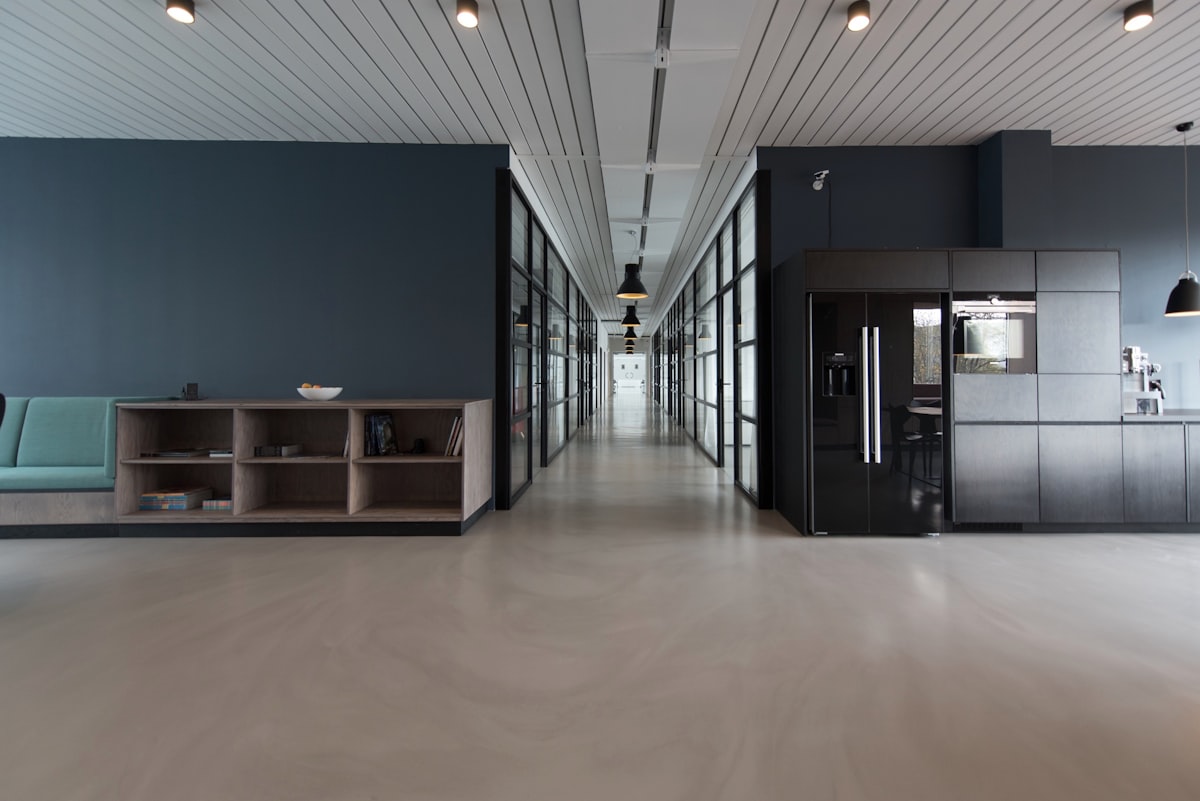
Modern offices are dense electromagnetic environments. Let’s map out what’s actually producing fields:
Radiofrequency (RF) Sources
| Source | Frequency | Typical Power | Your Distance |
|---|---|---|---|
| WiFi access points | 2.4/5/6 GHz | 100–500 mW | 2–15 meters |
| Your phone (cellular) | 700 MHz–3.5 GHz | Up to 200 mW | 0–1 meter |
| Colleagues’ phones (aggregate) | 700 MHz–3.5 GHz | 200 mW each | 1–10 meters |
| Bluetooth devices | 2.4 GHz | 1–10 mW | 0–1 meter |
| Wireless keyboards/mice | 2.4 GHz | 1–5 mW | 0.3–1 meter |
| Cell tower (if nearby) | Various | High (but distant) | 50–500+ meters |
Extremely Low Frequency (ELF) Sources
| Source | Frequency | Field Strength at Typical Distance |
|---|---|---|
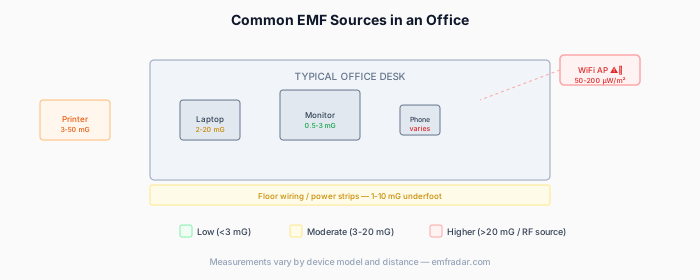
| Computer monitor | 50/60 Hz | 0.5–3 mG at 30 cm |
| Desktop computer | 50/60 Hz | 1–5 mG at 30 cm |
| Fluorescent lights | 50/60 Hz + kHz | 0.5–2 mG at desk level |
| Building wiring | 50/60 Hz | 0.5–3 mG (varies by location) |
| Printer/copier | 50/60 Hz | 5–20 mG at 30 cm, drops fast |
| Server room (through wall) | 50/60 Hz | 2–10 mG at wall, drops with distance |
| Electrical panel | 50/60 Hz | 10–100 mG at panel, 1–3 mG at 1m |
For context: The ICNIRP guideline for occupational ELF exposure is 10,000 mG (10 Gauss). Typical office levels are 1,000–10,000x below this.
The Five Biggest EMF Sources at Your Desk
Let’s rank what actually contributes most to YOUR personal exposure during a workday, from highest to lowest:
1. Your Cell Phone (by far the largest)
When actively transmitting (calls, data), your phone produces the highest RF power density of anything in your office environment — understanding cell tower vs phone radiation helps put this in perspective. A phone at your ear during a call: 100–1,000 µW/cm². A phone in your pocket on cellular data: 10–100 µW/cm².
This single device dominates your workplace RF exposure.
2. Your Laptop/Computer
Not for RF (which is modest), but for ELF magnetic fields. A laptop on your lap produces 2–10 mG at your body. A desktop monitor at 50 cm: 0.5–2 mG. The power supply/charging brick can produce 5–20 mG at 15 cm.
3. WiFi Access Points
Commercial office WiFi uses more powerful access points than home routers (typically 200–500 mW vs. 50–200 mW for home). If there’s an AP mounted on the ceiling directly above your desk, you might be 2–3 meters from a 500 mW transmitter.
Measured levels at a desk directly below a ceiling-mounted AP: 0.5–3 µW/cm². At a desk 5+ meters from the nearest AP: 0.05–0.3 µW/cm².
4. Neighboring Electronics
The aggregate field from all the monitors, phones, laptops, and devices around you in an open office contributes a background level of roughly 0.1–1 mG (ELF) and 0.01–0.1 µW/cm² (RF). Not dominant, but present.
5. Building Infrastructure
Electrical panels, wiring runs in walls/floors, server rooms, and HVAC systems all produce ELF fields. These create “hot spots” in specific locations — you might sit in a 1 mG area or a 5 mG area depending on what’s behind/below your desk.
Check your EMF exposure
See cell towers, power lines, and substations near any US address.
Search Your AddressMeasured Office EMF: Real Survey Data
Several studies have systematically measured EMF levels in office environments:
Office RF survey (typical results):
| Location | RF Power Density |
|---|---|
| Open-plan desk area | 0.1–1 µW/cm² |
| Conference room (during meeting with 10+ phones) | 0.5–5 µW/cm² |
| Near server room | 0.2–2 µW/cm² |
| Kitchen/break room | 0.05–0.5 µW/cm² |
| Next to WiFi AP (2m) | 1–5 µW/cm² |
| Private office (door closed) | 0.05–0.5 µW/cm² |
Office ELF magnetic field survey:
| Location | Magnetic Field |
|---|---|
| Typical desk | 0.5–3 mG |
| Near electrical panel | 5–50 mG (drops rapidly with distance) |
| Near printer/copier (in use) | 5–15 mG at 30 cm |
| Above fluorescent ballast | 2–8 mG |
| Near server room wall | 2–10 mG |
| Center of open floor | 0.5–2 mG |
Key finding:
Most office locations fall between 0.5–5 mG for ELF and 0.1–2 µW/cm² for RF. These levels are far below both occupational and general public safety limits, but they are notably higher than typical residential levels (which tend to be 0.2–1 mG and 0.01–0.5 µW/cm²).
Hot Spots: Where EMF Is Highest in an Office
Not all desks are created equal. These locations tend to have elevated EMF:
Desks near electrical rooms/panels
Electrical panels and transformer closets produce significant magnetic fields that penetrate walls. If your desk shares a wall with the building’s electrical room, you could be sitting in 5–20 mG instead of the typical 1–2 mG. These fields drop off sharply — moving your desk even 1–2 meters away can reduce exposure by 70–90%.
Desks below ceiling-mounted WiFi access points
Open-plan offices often have AP density of 1 per 500–1,000 sq ft. If one happens to be directly above your desk (within 2–3 meters), your RF exposure from that source is 5–10x higher than a colleague sitting 8 meters from the nearest AP.
Near server rooms or network closets
Servers, UPS systems, and networking equipment produce both ELF magnetic fields (from power supplies and UPS units) and RF (from network equipment). The wall between you and a server room provides some shielding, but if it’s drywall, the attenuation is minimal.
Corner desks near windows facing cell towers
If your office building is near a cell tower and your desk faces it through glass windows, you’re receiving more RF from that tower than colleagues in interior offices. This is usually still modest (0.05–1 µW/cm²), but it adds to your total.
Printer/copier stations
These produce brief spikes of ELF magnetic fields during operation (5–20 mG). If your desk is right next to the printer, you’ll get frequent short exposures during the day.
What OSHA and International Standards Say
Workplace EMF exposure has established guidelines:
OSHA (United States):
- No specific EMF exposure limits for office workers
- General duty clause requires employers to maintain a safe workplace
- Defers to ACGIH TLV guidelines for magnetic fields: 10,000 mG (60 Hz) for occupational exposure
ICNIRP (International):
- Occupational RF limit: Varies by frequency, roughly 5,000 µW/cm² at WiFi frequencies
- Occupational ELF limit: 10,000 mG for magnetic fields
- General public limits are 5x stricter (2,000 mG, 1,000 µW/cm²)
EU Directive 2013/35/EU:
- Requires employers to assess workplace EMF exposure
- Sets action levels and exposure limit values
- Applies to all employers in EU member states
Bottom line: No typical office environment comes close to violating any occupational exposure limit. The guidelines exist mainly for industrial settings (welding, induction heating, broadcast towers) where exposures can be orders of magnitude higher.
Practical Steps to Reduce Your Office EMF Exposure
These are ranked by effectiveness and ease of implementation:
High impact, easy to do
1. Phone management:
- Use speakerphone or a wired headset for calls (biggest single reduction)
- Keep your phone on the desk, not in your pocket, during the day
- Enable WiFi calling if available (reduces cellular transmit power)
- Put your phone in airplane mode during focused work when you don’t need to be reachable
2. Laptop positioning:
- Don’t use your laptop on your lap — use a desk, table, or laptop stand
- Keep charging bricks/power supplies away from your body (under the desk, not next to your feet)
- A laptop stand that elevates the screen also increases distance from keyboard EMF
3. Wired peripherals:
- Use wired keyboard and mouse instead of Bluetooth (eliminates a constant-transmit RF source inches from your hands) — this can also help if you experience EMF-related headaches
- Use wired headphones/earbuds for music and calls
- Wired ethernet for your laptop if available (reduces WiFi transceiver activity)
Medium impact, may require conversation with facilities
4. Desk location:
- If your desk is against a wall with the electrical panel, ask to move
- Request a desk that’s not directly under a WiFi access point
- Avoid desks adjacent to server rooms or network closets
- Interior desks (away from windows facing towers) have lower RF
5. Monitor distance:
- Position your monitor at arm’s length (roughly 50–70 cm) — this is already recommended for eye health AND reduces ELF exposure
- Use a single large monitor instead of multiple smaller monitors if possible
6. Printer/copier distance:
- Don’t set up your desk right next to the office printer
- If you’re near the printer by necessity, keep at least 1 meter between your chair and the device
Lower impact but worthwhile
7. Break room awareness:
- Don’t stand next to the microwave while it heats your lunch (5–50 µW/cm² at 30 cm). Step back 1 meter and it drops to under 1 µW/cm².
- Microwaves are short-duration, so this isn’t a major exposure, but it’s easy to avoid
8. Take breaks outside:
- Regular breaks away from your desk reduce cumulative exposure
- Standing meetings in a room with fewer electronics can be a lower-EMF environment
- An outdoor walking meeting = virtually zero RF (aside from your phone)
Open Office vs. Private Office vs. Home Office
EMF profiles differ significantly by office layout:
Open office (cubicle/hotdesking)
- Highest aggregate RF: Many phones, laptops, and people in close proximity
- WiFi density: High (many connected devices)
- Your control: Low (can’t move APs, choose neighbors, or control their devices)
- Typical levels: RF 0.5–2 µW/cm², ELF 1–3 mG
Private office
- Lower aggregate RF: Fewer devices, walls provide some shielding
- Your control: Medium (can position your own equipment, close the door)
- Typical levels: RF 0.1–0.5 µW/cm², ELF 0.5–2 mG
Home office
- Lowest aggregate RF: Just your own devices
- Your control: High (can choose router placement, use wired connections, control everything)
- Typical levels: RF 0.05–0.3 µW/cm², ELF 0.3–1.5 mG (lower if using wired ethernet and monitoring power sources)
If you have the option to work from home and EMF is a concern, remote work genuinely does offer a meaningfully lower-EMF work environment — primarily because you control the space. See our guide to reducing EMF exposure at home for tips.
Special Situations
My office is in a building with a cell tower on the roof
Rooftop cell installations typically direct their energy horizontally and downward toward the surrounding area. The floor directly below the roof generally receives minimal RF because the antennas point outward, not straight down. However:
- Top-floor offices directly below rooftop equipment may have elevated ELF fields from power cabling and equipment
- If you’re on an upper floor with windows, and the building across the street ALSO has rooftop antennas aimed at your building, that’s a different story — worth measuring
Check your office building on EMF Radar to see what towers are nearby.
I work in a data center / server room
This is a genuinely higher-EMF environment:
- UPS systems produce significant 60 Hz magnetic fields (10–100 mG at 1 meter)
- Dense networking equipment produces broadband RF
- Industrial cooling systems have powerful motors
If you work in or near server rooms regularly, measuring your actual exposure levels is a reasonable step. Some employers provide EMF surveys for these spaces.
I’m pregnant and worried about office EMF
This is a common concern. Several studies have examined prenatal EMF exposure:
- The bulk of epidemiological evidence does not show consistent associations between typical office-level EMF exposure and adverse pregnancy outcomes
- Some studies have reported associations with high magnetic field exposure (above 3–6 mG average), but these findings are not consistent across studies
- The major occupational health organizations (ACGIH, WHO) have not recommended special EMF limits for pregnant workers at typical office exposure levels
Practical precautions: follow the general advice above (phone on speaker, laptop on desk, wired peripherals) and sit with your laptop/monitor at arm’s length. These steps reduce your two biggest controllable sources of exposure.
Discuss specific concerns with your OB-GYN or occupational health provider.
My employer is installing 5G small cells in the building
Some large enterprises are deploying private 5G networks (CBRS band, 3.5 GHz) for industrial IoT, warehouse operations, or high-bandwidth applications.
Private 5G small cells:
- Typical power: 1–5 watts (similar to a commercial WiFi AP)
- Frequency: 3.5 GHz CBRS band in the US
- Exposure: Similar to being near a WiFi access point
If a 5G small cell is installed near your work area, the exposure profile is comparable to a WiFi AP — same order of magnitude, similar distance considerations.
Creating a Lower-EMF Desk Setup
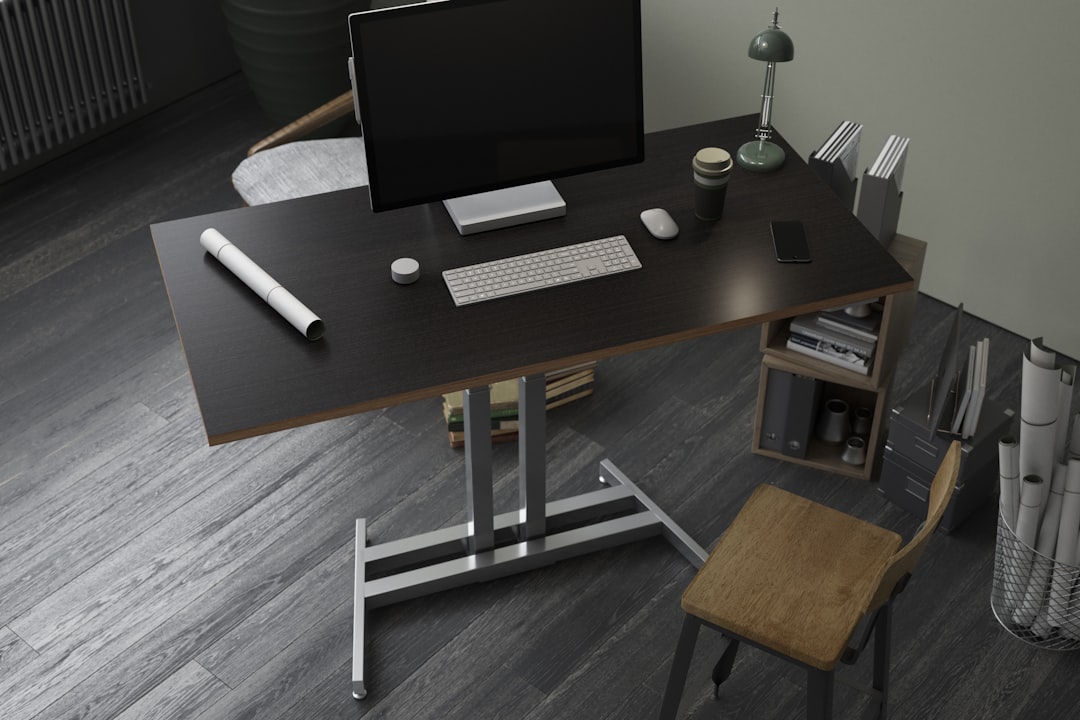
If you want to optimize your personal workspace, here’s a practical setup:
Equipment choices:
- Wired keyboard and mouse (USB, not Bluetooth/wireless)
- Wired ethernet connection (bring a USB-C ethernet adapter if needed)
- Wired headphones or a wired headset for calls
- External monitor at arm’s length (50–70 cm), not a laptop screen at 30 cm
- Phone on desk in a holder, not in pocket or against body
Desk positioning:
- 2+ meters from the nearest WiFi AP
- Not against a wall shared with electrical panels, server rooms, or elevator shafts
- Not directly next to the printer/copier
- Interior position preferred over window seats facing cell towers (if this matters to you more than the view)
Software settings:
- WiFi off on laptop if using ethernet
- Bluetooth off if using wired peripherals
- Phone on WiFi calling (reduces cellular transmit power)
- Disable unnecessary wireless on all devices (AirDrop, NFC, UWB unless actively using them)
Estimated exposure reduction from this setup vs. default:
- RF exposure: reduced by approximately 60–80%
- ELF exposure: reduced by approximately 30–50%
- Primary source remaining: colleagues’ devices, building infrastructure (which you can’t control)
When to Actually Worry
For the vast majority of office workers, EMF exposure is a non-issue from a health perspective. Current safety limits exist with large safety margins, and typical office levels are far below them.
Consider further investigation if:
- You work directly adjacent to high-power electrical equipment (transformers, industrial UPS)
- Your measured magnetic field levels consistently exceed 3–5 mG at your desk (this would be unusual but not impossible near electrical infrastructure)
- You work in RF-intensive environments (broadcast, telecommunications equipment rooms)
- You’re experiencing persistent EMF exposure symptoms and want to rule out environmental factors
How to investigate:
- Check your office address on EMF Radar for nearby cell towers
- Bring an inexpensive ELF meter (TriField TF2, ~$180) to check magnetic fields at your desk
- Use an RF meter or smartphone app for a basic RF survey
- If levels seem elevated, ask your facilities team about what’s behind your wall/above your ceiling
- Request an EMF survey from your employer if you have specific concerns (some employers will accommodate this, especially in the EU where Directive 2013/35/EU may apply)
Bottom Line
Your office EMF exposure is dominated by your own devices — especially your phone and laptop. The surrounding infrastructure (WiFi, building wiring, nearby towers) contributes a background level that’s measurably above a quiet residential environment but well within safety limits.
The most effective changes are the ones closest to your body:
- Phone on speaker or wired headset
- Laptop on a desk/stand, not your lap
- Wired peripherals instead of Bluetooth
- Desk positioned away from electrical infrastructure
These four changes address roughly 70–80% of your controllable workplace EMF exposure. Everything else is optimization.
Check what cell towers are near your office at EMF Radar — it takes 30 seconds and gives you a concrete picture of your building’s external RF environment.
Related Articles
- How to Reduce EMF Exposure at Home: A Practical Guide
- WiFi Router Placement: Safe Distance and Best Practices
- How to Measure EMF in Your Home: A Complete Guide
- EMF and Headaches: Can Wireless Devices Cause Pain?
Related Reading
- EMF Radiation from Neighbor’s WiFi: Should You Be Concerned?
- Starlink EMF Radiation: Satellite Internet RF Levels
- How Far Should Your WiFi Router Be? Safe Distance Guide
- EMF Exposure in Schools: WiFi and Cell Tower Risks
Concerned about EMF in your environment? Check your address on EMF Radar to see nearby cell towers and power lines, or find a certified EMF consultant for professional testing.